
 Canada (English)
 Colombia
 Caribbean and Puerto Rico
 Ecuador
 India
 Indonesia
 Ireland
 Malaysia
 Mexico
 Panama
 Peru
 Philippines
 Singapore
 South Africa
 Sri Lanka
 Thailand
 United Kingdom
 United States
 AcumatiCares



The accounting team is an essential facet of any organization. Tasked with managing a business’s financial health in today’s digital economy, accounting team members need technology that will help them keep up to speed in fast-paced markets. But different technology options are available for different business needs, and we’ll talk about two today: basic account software and an accounting ERP system (or accounting software within a cloud ERP solution).
If you’re wondering what’s the difference between an ERP solution and accounting software, the answer is simply this: Accounting software is designed primarily to manage financial transactions and reporting, while ERP software connects financial management with broader business operations, such as inventory, purchasing, sales, projects, and manufacturing.
Accounting software may be sufficient for simpler financial needs, but ERP is better suited to businesses that need connected data and processes across multiple functions. To understand the difference more fully (and to know if it’s time to move from basic accounting software to an ERP system), we’re providing the answers to the following critical questions:
- What is accounting software?
- What is an ERP system?
- What are the key differences between these two financial management options?
- How do you choose the right one for your small or midsized business (SMB)?
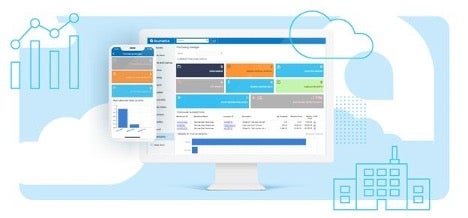
ERP vs. Accounting Software at a Glance: What’s the Difference?
The table below gives an overview of how ERP systems and standalone accounting software differ in scope.
| Criterion | ERP Software | Standalone Accounting Software |
| Primary focus | Connects financial management with all operational processes in a shared, comprehensive system. | Records and manages financial activity, including income, expenses, invoices, bills, payments, and bank reconciliation. |
| Typical users | Supports and links all teams and departments across finance, sales, purchasing, inventory, projects, customer support, and beyond. | Primarily used by employees responsible for routine financial administration. |
| Scope and functionality | Can include features that support all business functions from comprehensive financial management, customer management, and project accounting to inventory, process management, and reporting. | Typically includes general accounting, invoicing, expense tracking, bank feeds, bill management, tax organization, and financial reporting. |
| Data management | Maintains financial and operational data in a connected platform, including customer, project, inventory, sales, and purchasing information. | Primarily maintains only accounting and transaction data. |
| Reporting | Provides financial and operational reporting, dashboards, analytics, and role-based views across connected business functions. | Provides standard financial reports, such as profit and loss, balance sheet, cash flow, accounts receivable, and accounts payable. |
| Integrations and workflows | Supports APIs, web services, configurable workflows, document management, process monitoring, and automation across departments. | May integrate with other applications for payments, payroll, ecommerce, customer management, and time tracking. |
| Scalability | Can accommodate additional entities, locations, users, currencies, transaction volumes, and operational functions as requirements change. | Can support increasing financial activity, but organizations may need additional applications as operational or multi-entity requirements become more complex. |
| Implementation | Typically involves process review, system configuration, data migration, role and permission design, integrations, testing, and training. | Usually has a narrower implementation scope focused on the chart of accounts, bank connections, opening balances, invoice settings, user access, and transaction migration. |
| Typical fit | Organizations that need to coordinate finance with multiple departments, entities, locations, or industry-specific operations. | Organizations with relatively straightforward financial processes and limited need to manage complex operations alongside the accounting system. |
What is Accounting Software?
Accounting software is an application that allows businesses to handle their accounting transactions, from accounts receivable (AR), accounts payable (AP), and bank management to revenue tracking and financial reporting. Accounting software:
- Eliminates manual data input.
- Improves data accuracy.
- Supplies built-in financial reports.
- Simplifies payroll and tax filing requirements.
- Reduces staff costs.
- Centralizes accounting data for easy access.
Some of today’s accounting software vendors, while still primarily focusing on automating and streamlining accounting and financial processes, are offering expanded integration capabilities—building their software to connect with additional, third-party payroll, inventory, ecommerce, payments, and customer relationship management (CRM) tools.
What is an ERP Solution?
An ERP (enterprise resource planning) solution is an end-to-end business management tool that connects multiple departments and applications. Information from finances, sales, marketing, operations, and any third-party application coalesces into the ERP system, making it easy to access business-wide data in real time. Accounting software functionality is built within the ERP system, and the result is a 360° view of the entire business and real-time access to synchronized data.
Key Differences Between an ERP Solution and Accounting Software
Scope and Functionality
An ERP solution contains all the basic accounting functionality found in accounting software, but the ERP system takes that functionality a step further. For example, if your business is in the manufacturing, distribution, or commerce industries, then you’re dealing with supply chain logistics, inventory tracking, warehouse management, and more. While accounting software typically offers limited industry options, an ERP solution will help you cover those evolving needs with advanced financial management capabilities (e.g., using accounting data for planning, investing, and compliance processes) and industry-specific modules.
Data and Reporting
Financial data in accounting software can technically be shared between teams and departments, but that often requires manual data imports and exports that lead to errors and delays. In an ERP system, that same financial data, in addition to operational data from every other department, flows seamlessly from a unified database that connects all users and applications, ensuring that everyone receives updated information simultaneously and in real time.
Reporting differences are also significant. While accounting software reporting provides necessary financial statements (e.g., balance sheet, income statement, cash flow, etc.) and insights into what has already happened, an ERP system takes it further by connecting financial and operational data and combining financial outcomes with modern analytics (across entities). ERP reports provide the “what” as well as the “why” and the “what now?”
Integrations and Workflows
While accounting software options can offer integrations with third-party applications, most ERP solutions provide a suite of connected applications, integrating financial management with inventory, manufacturing, and service management modules. Every process and workflow is streamlined within the centralized solution, making it a one-stop-shop for growing SMBs.
Scalability and Complexity
Natively integrated applications within an ERP system equip users to support their current and long-term operational needs. Data from across the organization is no longer stored in spreadsheets and is available at their fingertips. This enables faster decision making that can’t be obtained from cobbled-together information, scattered paperwork, and disconnected systems (such as basic accounting software with bolted-on modules). As complexity increases, like when a business adds multiple entities and starts handling global currencies, an ERP system can scale alongside the organization, but that scaling is not guaranteed with basic accounting software.
Implementation and Cost
The implementation process and cost for accounting and ERP software vary depending on the modules, data migration, integrations, customizations, entities, and processes required for each business. Many ERP and accounting software vendors charge per user and require user license limits. Some ERP solutions, like Acumatica, offer an unlimited-user pricing structure that charges for resources used, not for user seats.
How to Choose Between an ERP System and Accounting Software
The differences between ERP and accounting software are beginning to blur as advancements continue to emerge but those differences are still evident.
Let’s look at QuickBooks as an example.
Basic accounting software, like Intuit QuickBooks, can be a workable option for smaller organizations with simple accounting needs. Specifically, QuickBooks Online (QBO) provides invoicing, expense tracking, bank reconciliation, and reporting features. It also lets users collaborate and share real-time financial data with internal and external shareholders.
Intuit, recognizing that QBO is unable to meet a growing, multi-entity business’s needs, built upon QBO’s architecture to create Intuit Enterprise Suite (IES). It’s an AI-native financial solution for mid-market businesses that’s marketed as an “all-in-one solution” for SMBs. But when comparing IES with a full-featured ERP system like Acumatica, it doesn’t hit the mark.
According to Acumatica’s Compare Acumatica vs Intuit Enterprise Suite eBook, IES is primarily for service-based businesses. The eBook notes: “[IES’s] core strength lies in financial management—AR, AP, GL, and multi-entity accounting. However, for companies that manage inventory, manufacturing, or complex distribution alongside their projects, IES falls short. It explicitly lacks features for inventory management, manufacturing, and advanced distribution needs.”
It’s clear that the scope, operational complexity, and process connectivity of advanced accounting software don’t compare to a modern ERP solution designed from the ground up to serve the growing operational and financial requirements of businesses in today’s digital world. It’s up to you and your accounting team to pay attention to the signals and determine whether you should stay with basic accounting software or upgrade to a comprehensive business management tool.
If you determine that moving to an accounting ERP system would benefit your business, then the next step is to find the cloud ERP solution that’s best suited for you and your unique needs. There are plenty of ERP solutions to choose from, so you’ll need to do thorough ERP research and evaluation, answering questions like:
- Does this ERP software provide integrated applications my company needs?
- Can I tailor the solution to my business?
- Can I seamlessly integrate it with my mission-critical third-party applications?
- Is customer relationship management (CRM) built into the solution?
- Does the ERP system provide reporting and analytics functionalities that will serve my business today and in the future?
You’ll also want to find out how the ERP solution is deployed. Does the ERP vendor give you the option to choose where your software is hosted? Can it be hosted in the cloud, on your own premises, or through a hybrid approach? Deployment options ensure that the solution you select will work the way you want it, how you want it.
Ultimately, before choosing a system, carefully evaluate your ERP options to increase the chances of a successful implementation.
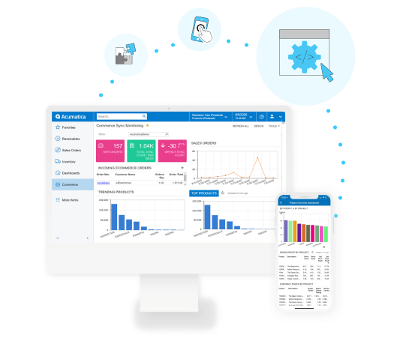
Moving Beyond Basic Accounting Software with Acumatica
Understanding the differences between ERP and accounting software will help you decide if accounting software is sufficient for your needs or if moving to an ERP system because of your operation’s increasing complexity (e.g., inventory, multi-entity operations, projects, manufacturing, reporting, or reconciliations across systems) is vital to your success.
This was the case for Fidelux Lighting.
A women-led and minority-owned company, Fidelux Lighting designs and distributes top-tier LED lighting solutions for commercial customers. The team was using QuickBooks, but tracking/paying commissions, managing their inventory, and handling their accounting was too much for the solution to handle. The software was not customizable, and it did not allow integrations with other software. So, the Fidelux found a solution that could do all of these functions and more: Acumatica.
Says Director of Operations Shivani Raval, “As we move into new markets, Acumatica gives us the confidence that we can handle the transactions and growth with ease for many years.”
As Fidelux Lighting’s experience highlights, the right comprehensive cloud ERP solution can help you manage your accounting and financial needs while providing additional industry-specific modules as well as 24/7 data access, so you can work from wherever you are, whenever you need.
If you’re ready to upgrade your basic accounting software, contact our team today.
FAQ
Is an ERP system the same as accounting software?
No. Accounting software primarily manages financial processes, such as accounts payable, accounts receivable, general ledger, and financial reporting. ERP includes financial management and connects it with all broader business operations, such as inventory, purchasing, sales, projects, manufacturing, and other functions.
When should a business move from accounting software to an ERP system?
A business may consider moving to an ERP system when accounting software no longer provides enough visibility or connectivity across its operations. Common signs include increasing manual data entry, reliance on spreadsheets, disconnected systems, complex inventory or project requirements, multiple entities or locations, and difficulty combining financial and operational data for reporting.
Does ERP include accounting software?
ERP systems typically include core accounting and financial management capabilities such as general ledger, accounts payable, accounts receivable, cash management, and financial reporting. ERP software also extends beyond these functions by connecting financial data with other areas of the business, although the specific capabilities available vary by ERP system.
Is an ERP system only for large businesses?
No. The need for an ERP solution depends on business complexity as well as company size. Small and midsized businesses may consider ERP when they need to connect financial management with inventory, projects, manufacturing, multiple entities, or other operational processes that are becoming difficult to manage across separate systems.


